In 2017, Samsung launched the PPT Controller app for the Gear & Galaxy watches. Since then, it has been part of every Tizen smartwatch. This year, the company changed its track and joined the Wear OS 3 platform with the help of Google. In the beginning, some apps were missing from the Galaxy Watch 4 duo, but now, slowly, they are returning. Samsung PPT Controller is also one of those apps which are successfully landed on the new Wear OS. The app is now available to download in the Play Store for Wear OS.
It is an essential app for many users who want to control PowerPoint presentations from their wrist. Users can operate PPT slides using the app. You can go to the next slide or previous slide, and also stop them. The physical bezel on the Galaxy Watch 4 Classic or the digital bezel on the Watch can also be used to control the slides. It shows the presentation time and also enables vibration alert when the presentation comes to an end or at the set interval time.
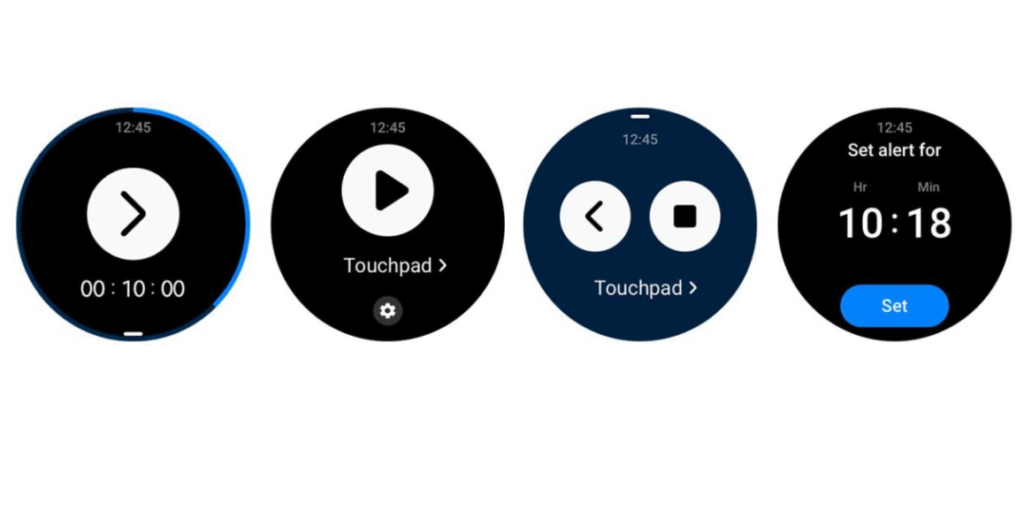
To use the Samsung PPT Controller app, you have to first connect the smartwatch to a computer. To do that, search for your Galaxy Watch 4 in Bluetooth Devices on the computer and follow the next steps. You can install the app from the Play Store for Wear OS on your Galaxy Watch 4 or Galaxy Watch 4 Classic.