Samsung has released a new update to the Good Lock module to make it compatible with the One UI 8.5 software. The company has updated Lockstar, Quickstar, HomeUp, Theme Park, and Game Booster Plus. The remaining modules will soon get a new version. Samsung is currently running the One UI 8.5 beta testing program for the Galaxy S25 series and other supported devices. Before the stable firmware, it is getting ready with all its essential apps and services. Here is the official changelog for these Good Lock modules.
▷ LockStar
– Customize unlock animation: You can set the unlock animation to your own style.
– Add text: You can add text to the lock screen/AOD screen. (Supports One UI 8.0 or higher)
– Expand devices that support the AOD manual brightness function: You can directly adjust the AOD brightness even on devices that support full-screen AOD.
▷Game Booster +
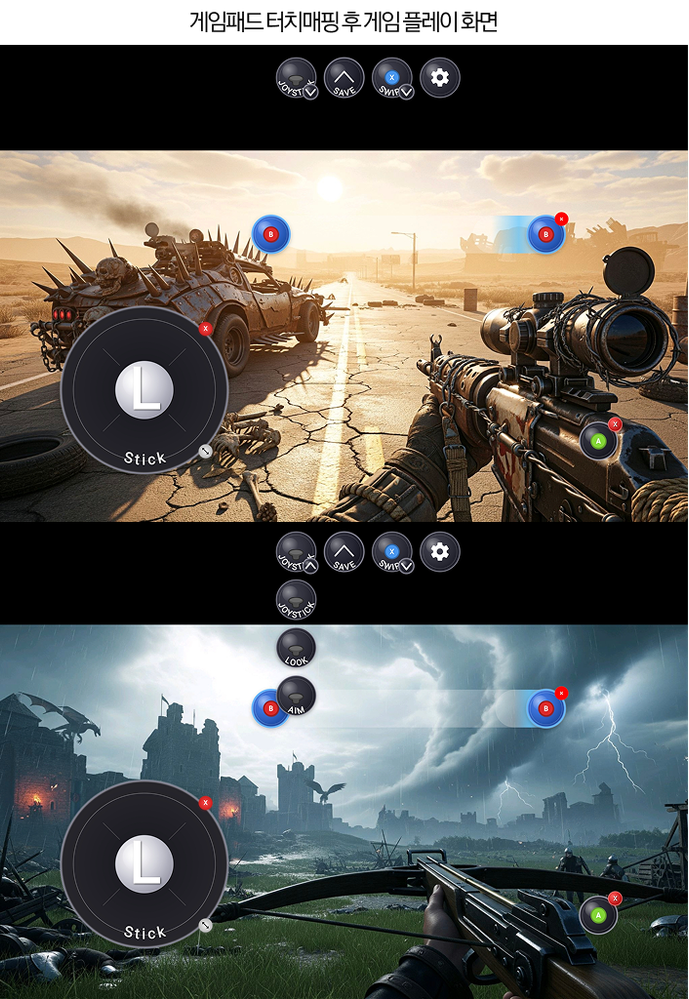
– Gamepad Touch Mapping: Map gamepad input to screen touch, allowing you to control even touch-only games with the pad.
– CPU and GPU Settings (replaces the existing “Turn on Game Booster GPU Settings”): Tweak your CPU and GPU for game-specific performance optimization.
– Fast-forward Game Intros: Reduce waiting time by quickly playing the intro video when the game starts.
▷QuickStar
– Edit landscape mode: You can edit the landscape mode screen of the quick settings window.
– Adjust panel item size: You can freely adjust the size of the quick settings window items.
– Set panel item image: You can customize the quick settings window items by changing them to the desired image.
– Show control bar values: Show the current setting values in the screen brightness bar and volume control bar.
▷ Home Up
– Large folder settings: You can adjust the size of large folders. Folder page scrolling and background blur removal functions are provided.
– Icon label editing: You can edit the font and color of the app icon labels on the home screen.
– Widget customization: You can adjust the size of the content within the widget or remove the blur effect applied to the widget background.
(However, some widgets may not be applied.)
– GTS sharing function improvement: When applying a home screen shared via GTS, non-installed apps/widgets will remain in their places so that the layout is not broken. You can place other apps in that location.
– Switch to previous app with gesture: You can turn off the ‘Switch to previous app with gesture’ function even when ‘Gesture hints’ in Settings is turned on.
– Unified Edge panel provided: You can conveniently use apps, function shortcuts, and contacts all in one panel.
– Edge handle touch area adjustment: You can adjust the Edge handle touch area for those who have trouble opening the Edge panel due to case thickness or usage habits.
▷ Theme Park
– Icon Embossing Effect: You can add a three-dimensional effect to your icons with the embossing effect.
– Monochrome Style: You can create icon themes with the monochrome style.