


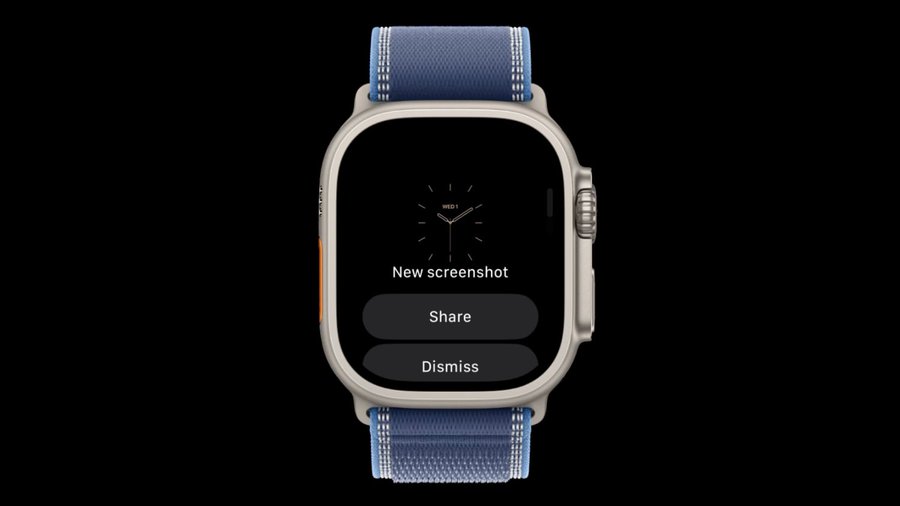
Apple may be bringing a small but useful change to the Apple Watch screenshot experience. Code discovered in watchOS 27.2 points to a new interface that could let users preview a screenshot immediately after capturing it, with options to share or delete it. The discovery comes from code explorer pdfu, who posted the finding on X. The feature is currently hidden behind a feature flag, meaning Apple has not enabled it for normal beta testers yet.
At the moment, taking a screenshot on Apple Watch is fairly basic. Users press the Digital Crown and side button together, after which the screen flashes and the screenshot is transferred to the paired iPhone’s Photos library. There is no immediate preview or confirmation screen on the watch.
That can be inconvenient when a screenshot is taken accidentally. Instead of deleting it immediately, users have to open Photos on their iPhone and remove the unwanted image later. The new interface appears designed to change that.
WatchOS 27.2 could bring a familiar screenshot workflow
The discovered code suggests Apple is working on an experience inspired by the iPhone. After taking a screenshot, the Apple Watch could display a preview and provide controls for managing it directly from the wrist.
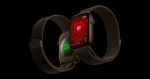
The supplied image shows a “New screenshot” screen with Share and Dismiss buttons, while the code discovery indicates that a Delete option is also part of the planned experience. This would make it possible to quickly check a screenshot and decide what to do with it without immediately reaching for the iPhone.
The actual screenshot-capture method does not appear to be changing. The main difference is what happens after the screenshot is taken. It is a good initiative by Apple, because no other watches, including Galaxy Watch and Amazfit Watch offers screenshot preview feature.




Leave a comment